
Useful Pokémon Utilities, Sites, and Guides
Table of Contents:
Introduction
This is kind of like my bookmarks or favorites, but I wanted to share it with you all, and I also wanted to promote a lot of these web sites and tools since there is so much creativity behind them. I tried to link to other sites whenever I was borrowing information, but I have read so much over the past three years that sometimes it is hard to know where I got certain information. The really cool thing I want to point out is that all of these resources are fan made. It speaks volumes about the passion and ingenuity that fans of this franchise have.
General
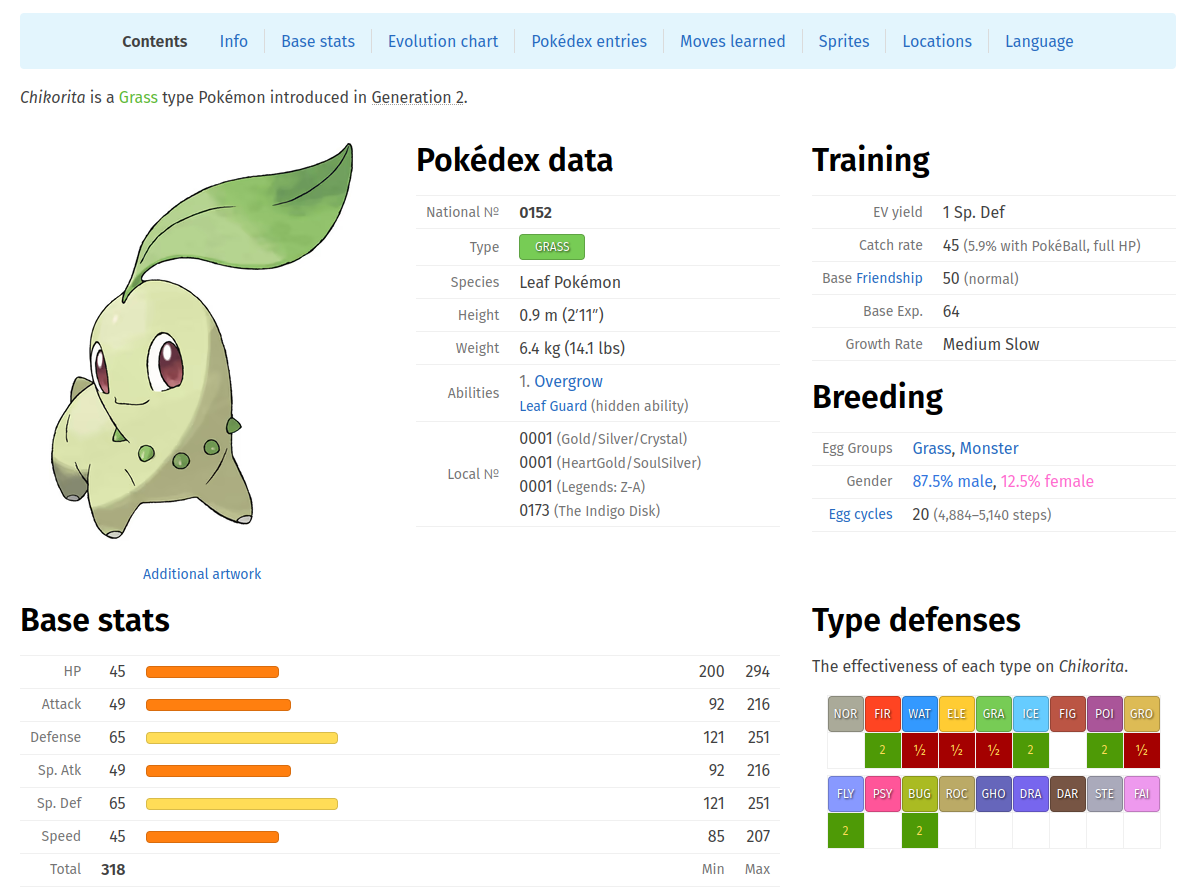
This is probably the web site I use the most while I am playing Pokémon video games. You can easily search each Pokémon to find out their evolution requirements, moves that are available to learn in each game, and a nice type chart that shows weaknesses and resistances. It's quick and tight. You do not have to spend a lot of time trying to find the information you need once you get used to the way the site is organized.

This is the premier Wiki for everything Pokémon and another fantastic resource that has much of the same information and a whole lot more. You can answer almost any question you have about the video games, including release dates and compatibility.

I would say that this site completes the "trifecta" of useful Pokémon databases that can answer most questions you can come up with. Serebii is a great home page for your PC, since it also has news updates every morning on all the latest happenings. It's often the first web site I check in the morning.
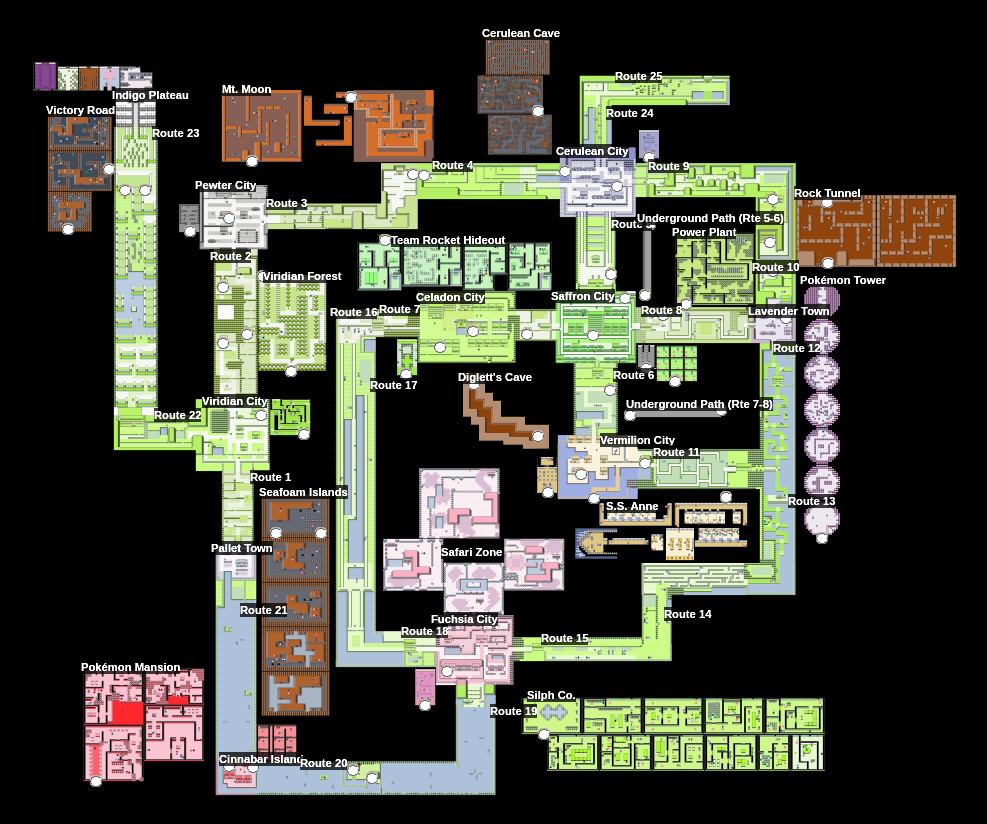
This web site has a lot of great tools. The one I have used that made me want to include it here is the 100% Checklist for Pokémon Yellow. What I like most is that it displays a map of the entire region, which can help with orientation, but it also lets you click items as you collect them (including hidden items) and trainers as you defeat them: all on the map! It looks like the creator is actively doing the same for specific titles in later generations too.
I use this web site every week, especially on Mondays, to check out what the upcoming events are and what days I should plan to go out and play. They also create great strategy pages for Gigantamax battles and other challenges.
This is an English-Japanese translator that lets you type in the names of Pokémon, moves, items, abilities, and natures so that you can see what they are called in the other region's game versions. This is a must-have if you want to play Japanese titles but are not fluent in Japanese.
Battles
As I stated above, I use Pokémon Database a lot while playing the video games, especially for the type chart system, but if you are playing older generation games, particularly generation one, it is handy to use the earlier type charts, since type effectiveness changed over time.
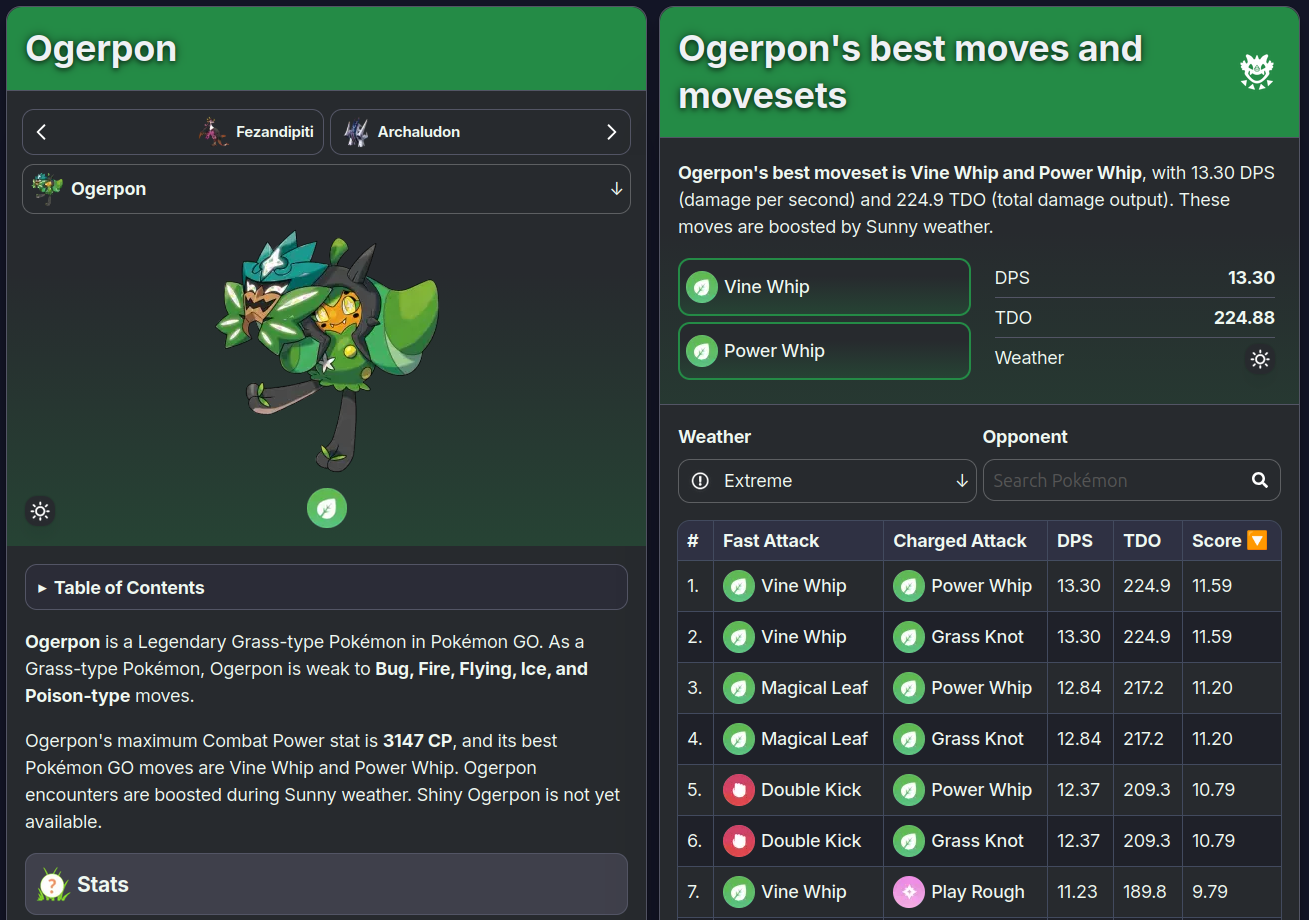
In addition to the news and guides that I lauded above, PoGO Hub has a great database that lists all moves and gives recommendations about which are the most effective (and which ones are event or elite TM only). They also have great tier lists for raids and the various player versus player (PvP) modes, and these are reflected on each individual Pokémon's profile page. This was incredibly useful when I was first getting started, so that I could decide which Pokémon I should invest in for raids. I started off investing in those from the B and B+ tiers, but over time as I acquired all of the megas and legendaries, I mostly just stick to Rank A and higher for raid attackers. The PvP recommendations are also very useful, since niche Pokémon are great at specific tiers, but you would not otherwise invest in them for raiding.

This is the first of many tools I want to hype on Buried Relic, a fellow Neocities gem of a fan site. This tool helps you figure out what moves, held items, and abilities your opponents will have in the Pokémon Emerald Battle Frontier.
This is another creative Buried Relic utility that helps you identify wild Pokémon who may have dangerous moves. This is useful for shiny hunting and Nuzlocke playthroughs, when one wrong move can ruin the dozens of hours you have invested in the process.
Pokédex
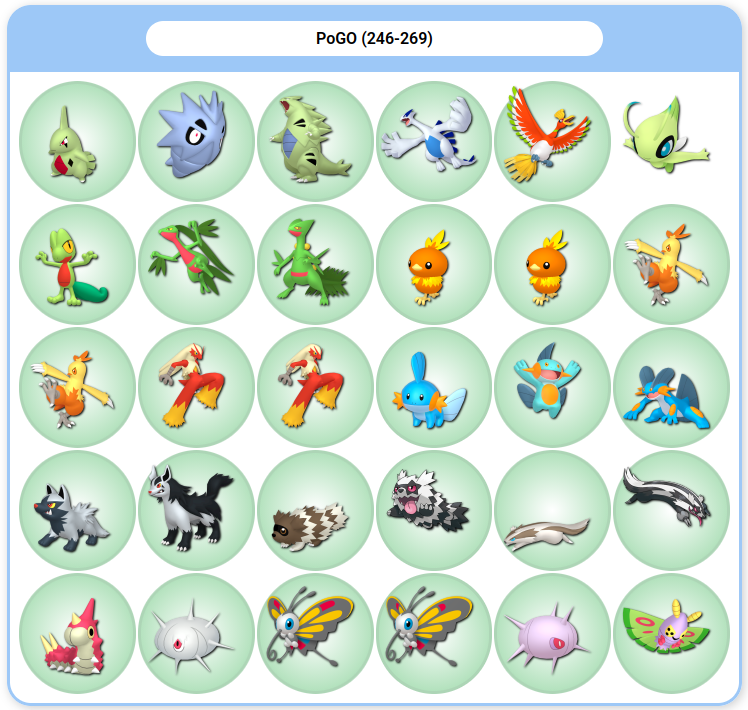
This is my preferred Living Dex tracker that I use to help me organize my boxes in Pokémon Home as well as many of the later video game titles. I love that I can toggle on and off all the myriad forms including those associated with gender and region. I like that I can organize my boxes by putting the alternate forms at the end or side-by-side altogether with their "main" counterparts (my preferred method). I particularly like it since it helps me maintain my Living GO Dex and has the option to only show Pokémon that are currently transferable to Home. I also use it to maintain my Living Shiny Dex, and I will eventually use it to maintain my Living Origin Dex. I used the site for free for many months, and the administrator / creator is very good about regular updates and responding to correction requests. I eventually started supporting the site financially, and I found that there is a Discord server where the same administrator is very patient and friendly. Please consider supporting them!
While I use BoxPoke to help me track and organize my Living dexes, I started using this web site recently to create a publc checklist for the shiny Pokémon I have collected. This is useful since I can share it on Reddit when I am attempting to find trade partners.
This is a very useful spreadsheet database that helps trainers develop their Living Origin Dex. It utilizes my preferred method of having the Pokémon come from the earliest game possible, rather than the game where it's variety first appeared. For instance, it assumes you want a Leafeon that originated in generation one, since that was where Eevee was introduced. It also gives you a heads up on how many of each gender you need when playing through a particular generation, since some of the genders have visual differences. I generally just use the generation tabs to help me check off what I need to collect, and then I use BoxPoke to actually organize my boxes in Home.
Nuzlocke
This is a republished version of an older Nuzlocke tracker that was abandoned by its developer / publisher. Thankfully, it was preserved and revived here, since it really is a fantastic tool. There is an associated Discord server where you can communicate with the current team and (potentially) find like-minded Nuzlockers.
This gives you another way to track your Nuzlocke progress, and it also lets you create graphics that let you share your progress or results on Reddit or other social media platforms.
This is a wonderful tool that could have appeared in the Battles subsection of this page, but I think it is most useful for Nuzlocke challenges, since you have to be careful about facing opponents who may one-shot your team. This can also be useful for making sure that you do not faint wild Pokémon that you only have one chance to catch, so it could also be useful for shiny hunting. It takes some time to get used to, but it allows you to save your team members with their associated levels and moves. You can also search your opponents and easily scroll through their whole team once you have them loaded up. If facing tough opponents in a Nuzlocke, I recommend ticking on the critical option for each of their moves, since you do not want to get wiped out to a random critical attack.
Shiny Hunting

This is the first of several tools I want to promote on yet another Neocities adjacent retro fan site, Blue Moon Falls. This tool provides one way that you can check newly captured generation one Pokémon to see if they have the potential to be shiny.
Stadium 2 Shiny Egg Hue Previewer
This Blue Moon Falls tool helps you see the difference between eggs that contain shiny versus non-shiny Pokémon, which was an oddity in the Stadium 2 game. This can be used with shiny farming methods outlined elsewhere on their site to make filling out a shiny dex much quicker and easier.
This is a Buried Relic guide that gives advice and tips for shiny hunting in the GameCube games. Please note that shadow Pokémon are shiny locked in XD but not in Colosseum.
Generation Three Unown Shiny Odds calculator
This is another Buried Relic utility that helps you determine the true shiny odds for capturing Unown in the generation three Kanto remakes based on your trainer ID and name. This may be useful to you, since your ID number and name combination could make the odds far worse than 1/8,192!

The Hallowed Tower web site is all about generation four and has some great guides and utilities, especially when it comes to shiny hunting. This one includes a utility that allows you to determine which trees in your game are "Munchlax Trees" and has tricks on how to maximize your time limit.
This generation four Sinnoh guide gives great detail on how to use this postgame key item, which allows trainers to find rare Pokémon and increases shiny odds if used properly.

shiny hunting in scarlet & violet!
This whole web site is adorable and wholesome, and this is a nice little guide that gives tips on how to shiny farm with efficiency in the Paldea titles.
Ribbon Master

Generation Three through Eight Ribbon Master Guide
Ribbon masters will (hopefully) continue to grow and expand as generations continue to appear, but this is a particularly useful guide for navigating the earlier titles with tips along the way on what you MUST do in each generation before migrating.
This is a Ribbon Master tracker that lets you input your Pokémon's information and lets you know what ribbons are available. I would still double check this with other guides like the one linked above.
Generation Three Pokéblock Stats Calculator
This is sort of a niche tool on the Buried Relic web site that helps you navigate the Pokéblock and contest minigames, which are mostly just there to produce ribbons in generation three.

This a sweet little guide on how to acquire berries in the generation three Hoenn titles when you have a dry battery. I do recommend you replace the battery, but I know there are circumstances where it is not possible. Berries are necessary for making Pokéblocks.
Niche

This is the first of a few resources from Cave of the Dragonflies that I want to promote here. This is the real deal as far as "retro" Pokémon fan sites go, given that the site is now over two decades old and actually survives from the earlier internet days that many retro sites nowadays (like the one you are visiting now) are emulating. There are lots of places on the internet where you can learn how to perform the Mew glitch in generation one, but I link this page because it also includes the history of how the glitch was discovered, and it gives the reader a glimpse into earlier internet culture. It's fun, so read it if you have time. In fact, go read the whole site, which is full of all kinds of calculators and tools that I do not link on this page.
Generation One Safari Zone Calculator
This is the other Cave of the Dragonflies tool I will promote here. It explains the Safari Zone mechanics, but it also has a nice tool toward the bottom where you can input data and have it just tell you what action to take. This is great if your brain just does not work sometimes (mine does not frequently). The site owner has similar calculators for other titles with Safari Zones too.
Generation Two Mystery Gift and Decoration Guide
Here I return to Blue Moon Falls to share several other resources that are useful. I recommend you just read this entire site as well. It is so well made and fun. This guide explains the mystery gift mechanic in generation two, which allows you to get decorations for your trainer's room. These are also reflected in Stadium 2 in 3-D, which is just badass.
This Blue Moon Falls guide explains the color changing nature of Pokémon in the Stadium titles. This is important because one of the ways to tell if a generation one Pokémon is shiny is by inserting the cartridge into a TransferPak and viewing the Pokémon in Stadium. Different color hues appear based on various combinations of trainer IDs and names, so familiarize yourself.
Generation One and Two Stat EXP Tracker
This Blue Moon Falls utility helps you track stat experience (explained on the same page) in the early games, which can help you use other tools like Kingler Calc linked above.
The final utility I want to share from Blue Moon Falls is this converter that allows you to prepare your generation two save file from your original cartridge for use in the 3DS virtual console editions.
Generation Three Hoenn Hidden Item maps
These maps were super useful as I was going through the original generation three titles so that I could make sure not to miss any hidden items. I sort of wish they were easier to scroll through since Imgur can be a little laggy, but I cannot complain since I did not make them. Maybe the creator would let me host them on this site someday?
Generation Three Kanto Hidden Item maps
These are the Kanto remake versions of the maps in the previous link.
The final Buried Relic tool I share is a layout manipulator for the Battle Pyramid mechanic in Pokémon Emerald. It is just a nice little utility to make gameplay more comfortable.
I have not used this tool yet, but it looks incredibly helpful since Feebas is notoriously hard to capture in generation three. I am sure I will make use of it as I work on my living origin dex.
I found this purification guide to be incredibly useful my first time through Pokémon Colosseum. Once you have uncovered the shadow Pokémon's nature, this table lets you know what the most effective purification method is.
This generation four Sinnoh guide gives some tips and tricks, including how to get around the 32-person underground meeting requirement.
This guide presents in great detail how to tackle the Safari Zone and build the habitat system to encounter the Pokémon you are seeking.
Tips for Efficient Pokéwalker Use
This is an older GameFAQs forum post that gives some great tips for using the Pokéwalker accessory. I had a lot of success following the guide for battling and farming items.
I mentioned this fan-hosted unofficial server on the generation four and five journey page, but I want to include it here as well for people who want to use that online Nintendo DS functionality.
Hallowed Tower provides a guide on how to get the unofficial server linked above working on your Nintendo DS consoles.
This is a handy little guide that helps you understand what all of the little shakes and sounds emitted from your Poké Ball Plus mean. It also gives some tips on how to "play" with your Pokémon when it is out for a walk with you.
Sword and Shield Weather Encounter Tool
I have to admit that I did not come across this guide until after I had completed all of my Pokémon Sword dexes, which is a shame because it would have been very helpful. I hope some of you can find it sooner in your playthrough!